
Traffic Warrants in Concho County
A traffic citation is filed in the court with jurisdiction. County and precinct fine-only tickets normally go to Concho County's countywide Justice Court; Eden city tickets go to Eden Municipal Court. If a person misses a setting or does not meet a judgment, the court may report an FTA or FTP and may issue court process under the facts and applicable law. Local issuance timing is not published.
That split matters for both status and payment. The sheriff can route a law-enforcement question, but the issuing court controls the citation, any capias pro fine, and the method to clear it. There is no confirmed public Concho citation-and-warrant search form.
County Traffic Warrants Start at the JP
For a county or precinct citation, call Concho County Justice Court at 325-732-4706 or email conchocountyjp@gmail.com. Ask for the case number, FTA or capias status, amount due, appearance requirement, and accepted way to resolve it. A general county payment link does not replace that court check.
Eden citations go to Eden Municipal Court at 325-869-2211 or courtclerk@edentexas.com. The court may direct a payment route, but no name-based warrant search was confirmed. The county and city courts do not share one public lookup.
How to Check for a Concho County Traffic Warrant
Use the citation and court name rather than relying on the payment processor. No county or Eden page confirmed public name, date-of-birth, or citation-number warrant fields. For statewide FTA or license-renewal questions, DPS refers people to the court that reported the violation.
- Read the ticket to decide whether the county JP or Eden Municipal Court issued it.
- Call that court with the name, citation or cause number, and date on the notice; ask for current warrant status.
- Use the county clerk's LGS index only as a general case-record search, not as a full warrant roster.
- Ask whether a written request, court appearance, or attorney-arranged contact is the right next step.
No Concho Traffic Search Form
The county payment link first asks for a bureau code. That field routes a payment; it does not search a name, ticket number, or warrant status. Eden's city court page and payment page also do not confirm a public citation lookup. Call the court before entering payment details.
| Channel | Known field | What it can do | Limit |
|---|---|---|---|
| Certified Payments | Bureau code | Routes a payment after court instructions | No public warrant lookup at first step |
| Clerk LGS | Office and record type | General county record index | Exact citation filters vary and are not published |
| JP or Eden court | Ask with citation or case number | Confirms its own case and next step | No public online name search confirmed |
| DPS FTA/FTP | Live search fields not published | Reported compliance status | Not a court-warrant lookup |
The county's payment processor page shows the bureau-code handoff. Open Certified Payments only after the issuing court supplies the correct routing and amount.
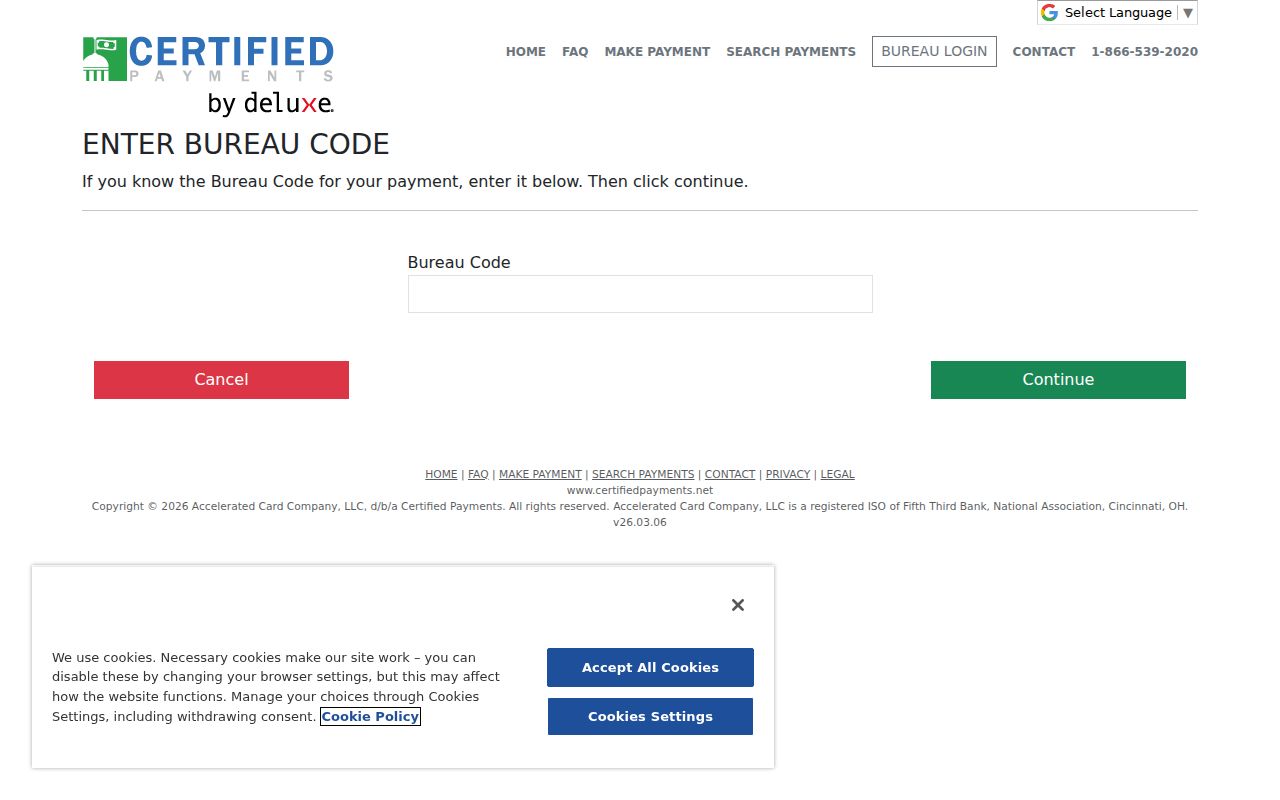
This is a payment screen, not a warrant or citation search result.
What a Traffic Warrant Shows
No public Concho sample warrant or local ticket-number pattern was found. A court may use its cause or citation number to connect a warrant to the underlying case. Ask the clerk to explain the exact status and whether a hearing, payment, or bond is required.
| Citation or cause | Local format not published |
|---|---|
| Offense or judgment | Read the ticket or court's description |
| Issuing court | Concho County Justice Court or Eden Municipal Court, depending on the ticket |
| Fine or bond | Ask the court; no local schedule was found |
| Status | Ask whether the case is delinquent, in FTA, capias, served, or recalled |
Citation, FTA, and Capias Sequence
A missed appearance or unsatisfied judgment can lead to separate consequences. A court may report an FTA or FTP under Transportation Code Chapter 706 and may use arrest or bench process, or a capias pro fine where statutory requirements apply. The exact path depends on the case and the issuing court.
Chapter 706 allows a participating court to report a qualifying violation that can block license renewal. Read the Texas Transportation Code provisions for reporting and clearance rules.
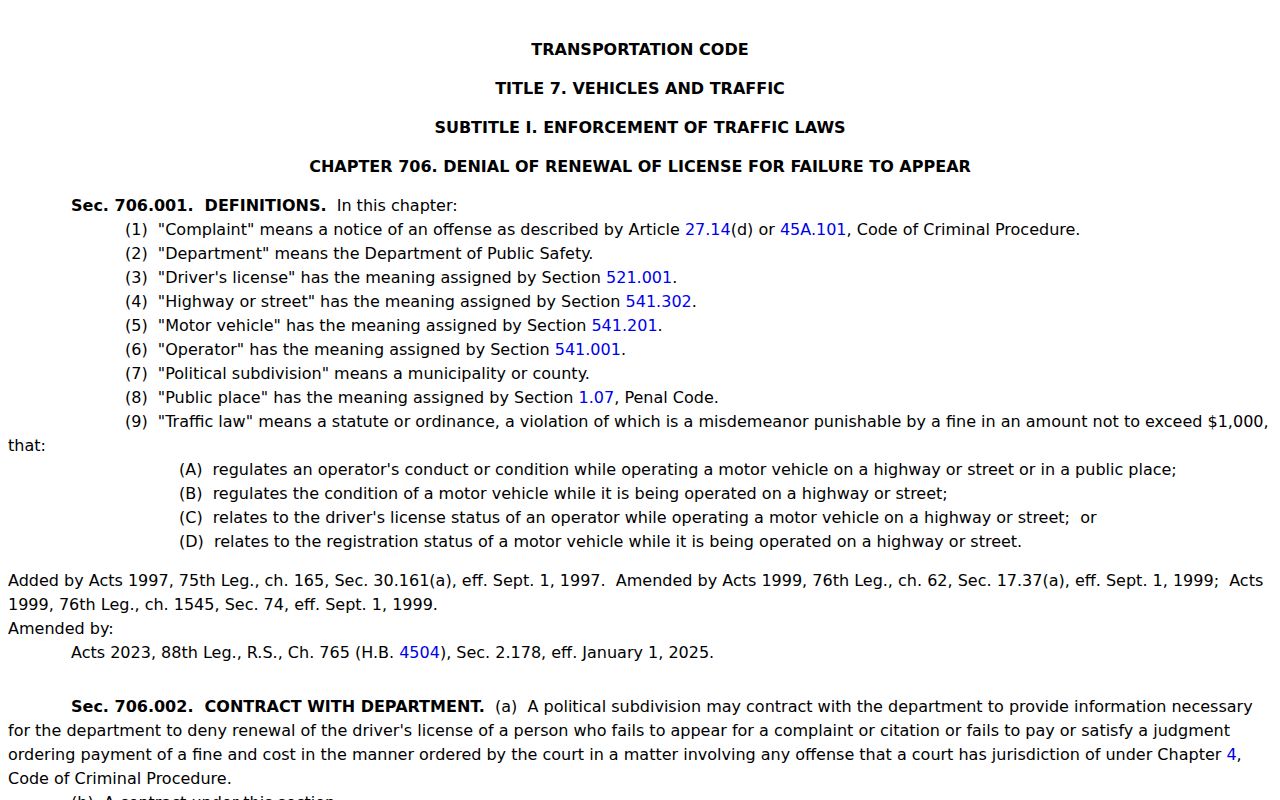
A license-renewal report and a court warrant are related questions, not the same record.
Paying or Lifting a Traffic Warrant
Start with the court, not a payment link. Ask whether the case is in FTA, capias-pro-fine, or another warrant status; get the exact amount and ask whether a court appearance is mandatory. Texas law allows options such as a hardship hearing or voluntary-appearance process for a capias pro fine, but the local court supplies the method it uses.
- Confirm the case, warrant type, amount, and whether a hearing or appearance is required.
- Ask about payment in full, an installment plan, community service, hardship review, reset, or bond.
- Use a payment service only with the bureau code and case details the court provides.
- Get the court's confirmation of recall and ask whether it reported clearance to DPS.
Warning: A payment receipt is not proof of recall. Ask the issuing court to confirm both the case status and any separate FTA or license-report update.
Hardship Hearing and Voluntary Appearance
For a fine-only case, Code of Criminal Procedure Chapter 45A governs capias-pro-fine steps. Article 45A.258 describes ways to notify the court about inability to pay, including a voluntary appearance, motion, letter, or another court-approved method. Article 45A.259 addresses hardship review and recall before execution when the statutory conditions are met.
Ask the JP or Eden Municipal Court which form and setting it accepts. No Concho hardship form, recall fee, or online request was located, so do not rely on a form from another county.
Traffic Warrant vs FTA and License Holds
One citation can raise more than one issue. A court warrant concerns the court's authority to bring a person before it. An FTA or FTP report concerns information sent under Chapter 706. The license-renewal consequence comes from the reported violation, and DPS says license staff cannot answer whether a warrant exists.
| Mechanism | What Triggers It | What It Does |
|---|---|---|
| Court warrant | Missed date or other court process | May authorize arrest or require court appearance |
| FTA/FTP report | Court reports a qualifying violation | Creates a compliance record under Chapter 706 |
| License-renewal denial | Reported violation remains uncleared | Can affect renewal until the court reports clearance |
Confirm Clearance With Each Court
If more than one court reported a citation, contact each reporting court. DPS explains that a violation can take up to seven business days to clear in some circumstances after the court reports it. That does not set a local timeline for a warrant recall or guarantee that the court case itself is closed.
Keep the receipt, cause number, and any recall order. If an FTA report remains after the court says it was cleared, ask which report date and system status the court sees before contacting DPS or OmniBase at 1-800-686-0570.